The Big Bookcase product roadmap
What you can try in the public demo today, what we are building now, and what comes after. Updated July 9, 2026.
Try it in the demo
Digital shelf
Ebooks and digital games sit in their own Digital subsection beside the physical shelves. The demo now stocks 20 public-domain classics from Project Gutenberg.
Memories
Catalog keepsakes that aren't books, movies, or games: figures, consoles, tickets, autographs, and more. Each one renders as a free-standing cutout on the shelf, sized to the real object.
Games in the library
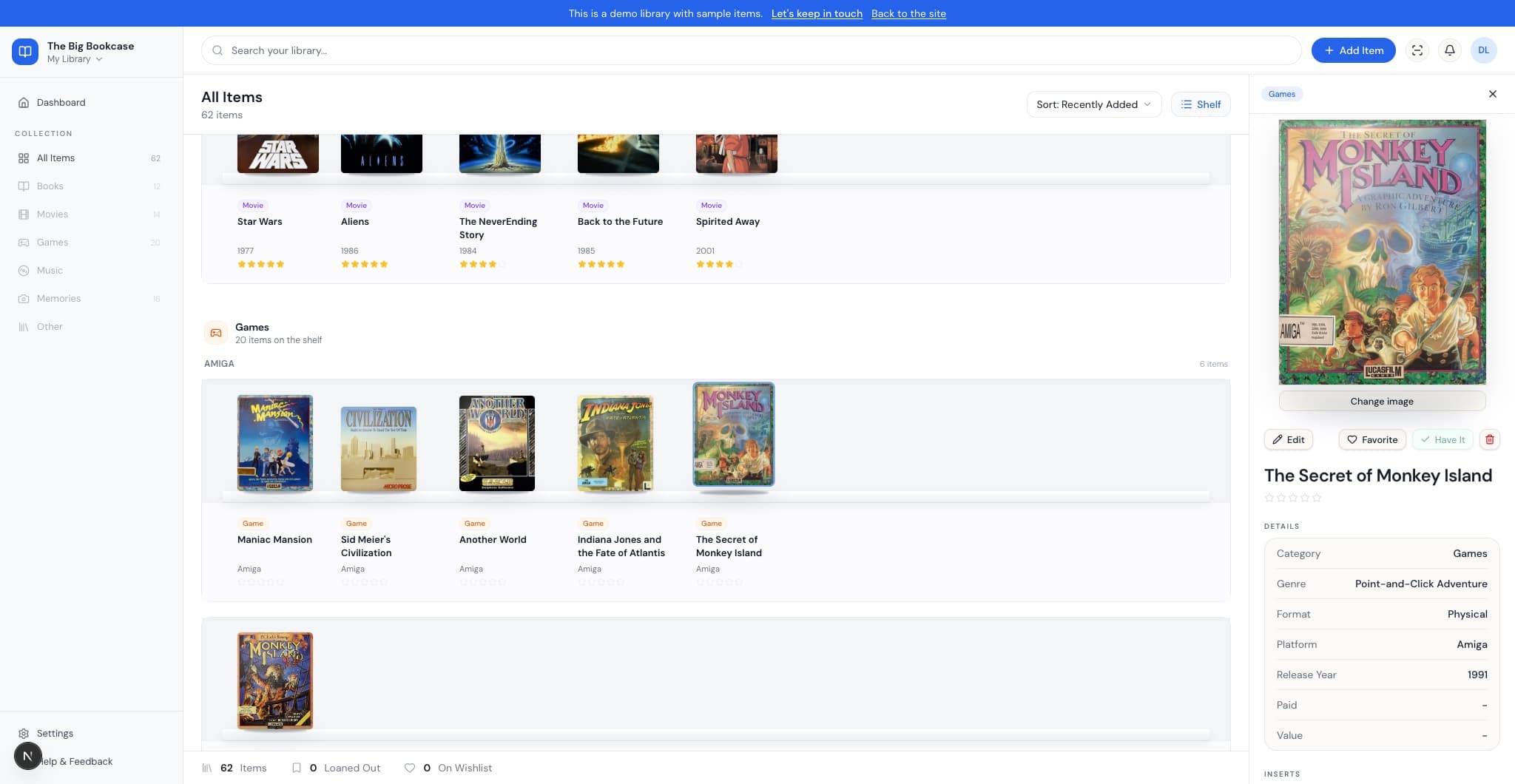
Retro and modern games on their own shelf, with real box art, grouped by platform.
Media subsections
Within each shelf block, physical books group by binding, movies by medium, and games by platform. Digital copies sit in their own subsection.
Library sections
In All Items, books, movies, and games each get their own shelf block with section headers.
Cover finish options
Books render matte; movies and games render glossy. See the difference on any cover in the demo.
Sort your shelf
Sort by title, year, or Artist/Author A-Z from the library toolbar.
Inspector panel
Open a book or movie to see metadata, cover art, and notes.
Search and stats
Search the collection and see library totals at a glance.
Building now
Library import
Import from CSV (Goodreads, Calibre, or our template), Steam, or a Delicious Library XML export. Preview matches, skip duplicates, and bulk-add from Settings.
Library export
Download your catalog as CSV or a ZIP with cover art, backs, and inserts, so you are never locked in.
Community catalog and cover uploads
Add items manually with your own cover photo, search shared community entries, and replace covers after saving.
Cover pool browser
Community search groups shared covers by title. Browse every variant in a grid and pick the one you want.
Manual add items
Add books, movies, and games by hand with title lookup and cover art.
Back cover upload
Add an optional back cover per item when changing images.
Cover flip animation
Double-click a cover to flip between front and back when both sides are on file.
Game manual inserts
Upload instruction manual scans or PDFs for games and preview them in the inspector.
Collections
Browse your library by tag-based Collections in the sidebar, ranked by how often you use them.
Barcode scan
Scan a barcode with your camera to add an item straight to the shelf.
Music in the library
Catalog CDs, vinyl, and cassettes in their own shelf sections.
Collection stats
Totals, value, growth over time, and platform breakdowns for your whole shelf on one page.
Starter shelf
New to an empty shelf? Stock it with 20 free public-domain classics in one click, each one a real EPUB you can download and read, tagged so they're easy to find or clear out later.
Planned
More media types
Comics, TV, and the other formats collectors asked for on the waitlist.
Your own account
Per-user sign-in so your library is yours, not behind a shared preview password.
Opt-in public shelves
Private by default. Choose to share part of a shelf or make a collection fully public.
Sell and giveaway listings
Optional per-item announcements when you want to pass something from your shelf to another collector.